2.1 Tasks: File-Based Service Discovery
In this lab you are going to configure Prometheus to scrape OpenShift-external targets by using file-based service discovery.
Task 2.1.1: Create static targets
We are going to use the file-based service discovery mechanism that has been deployed on OpenShift (documented in Confluence ). As file input you will create a ConfigMap defining the static targets.
In the monitoring folder within your repository, create a YAML file training_target.yaml defining a ConfigMap and add the file to your repository. Use the following example:
apiVersion: v1
kind: ConfigMap
metadata:
  name: mylinuxvms # provide a name
  labels:
    monitoring: external # provide label to match monitoring procedure
data:
  auth-mylinuxvms.yaml: | # provide an unique file name
    - targets: # provide targets
        - myhost1.balgroupit.com:9100 # path defaults to /metrics
      labels: # provide additional labels (optional)
        cmdbName: ServerLinux
        namespace: foo
        env: nonprod
In our example we added the host myhost1.balgroupit.com with an exporter running on port 9100 as static target. We also added custom labels to help us identify our metrics.
Task 2.1.2: Verify
As soon as the ConfigMap has been synchronized by ArgoCD, your defined targets should appear in Prometheus in the “Status -> Targets” submenu.
Verify in the web UI .
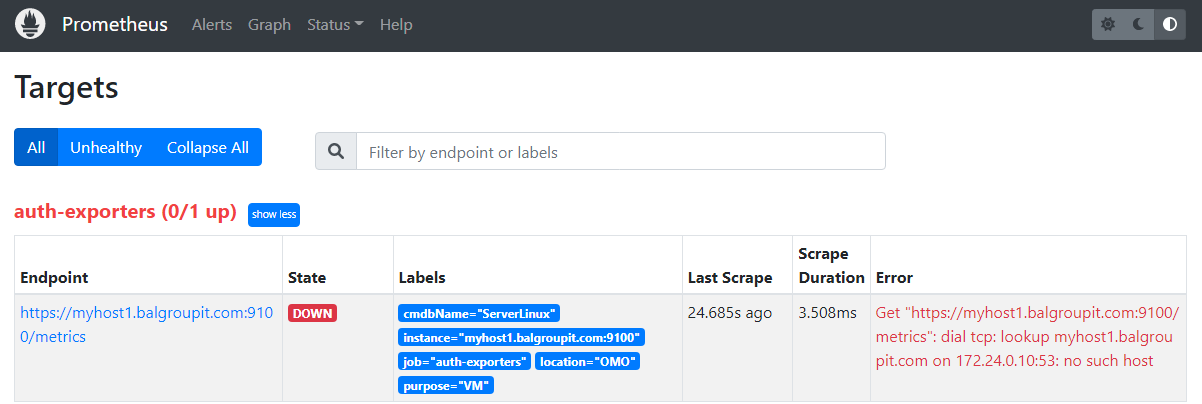
As you can see, the target is down and cannot be scraped by Prometheus. The reason is provided in the error message: Get "https://myhost1.balgroupit.com:9100/metrics": dial tcp: lookup myhost1.balgroupit.com on 172.24.0.10:53: no such host
Note
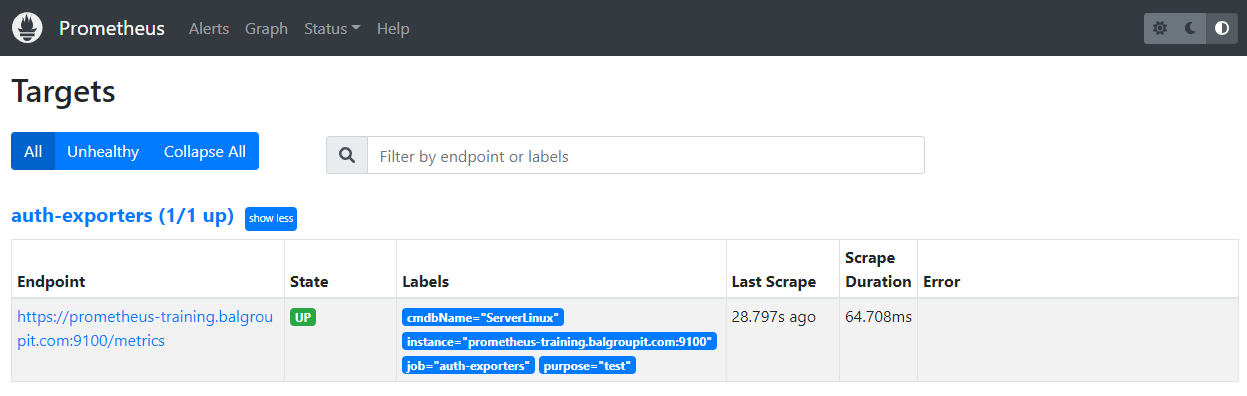
Other targets may already be defined. You can ignore these for now.In our example we used a non-existing host myhost1.balgroupit.com. To fix this, use the existing host prometheus-training.balgroupit.com as your target.
apiVersion: v1
kind: ConfigMap
metadata:
  name: mylinuxvms
  labels:
    monitoring: external
data:
  auth-mylinuxvms.yaml: |
    - targets: # provide targets
        - prometheus-training.balgroupit.com:9100
      labels:
        cmdbName: ServerLinux
        namespace: foo
Check the target again and make sure it is shown as up.